
Industry · Construction
In a construction CRM, from site survey to final acceptance,
the job runs on one record.
Corex360 is a business application that keeps a construction firm's survey photos, quote, contract, and progress payment file on one customer record. The quote given to the client sits in the Quotes tab, the signed contract in the Contracts tab, and survey and site files inside the same record in Corex Drive. Sales does not drop the job at signature; the site manager reads the contract from the same card. You calculate progress payments your own way, and the file sits next to the contract.
Last updated:

A Monday at a contracting firm · illustrative
Three issues, three places, one job.
At half past seven the site manager is agreeing the pour time with the ready-mix supplier. At the same hour a factory owner's survey request for an annex reaches the office. Towards noon, accounts asks which contract the subcontractor's month-end invoice belongs to.
The foreman writes the survey in a notebook and keeps the measurements on his own phone, so the person pricing the job in the office works out quantities for a site they never visited. After signing the gap widens: the work schedule and payment plan travel to site as an email attachment with a page usually missing. When the progress payment period arrives, quantities come from the site, unit prices from the contract, and payment details from accounts, and the same question comes up every month: which work does this amount pay for?
In Corex360 these issues meet in the tabs of one customer card. Survey photos and the progress payment file sit inside the record in Corex Drive; the quote and contract sit in the Quotes and Contracts tabs. Each subcontractor gets a firm record of its own, where its agreement and files collect.
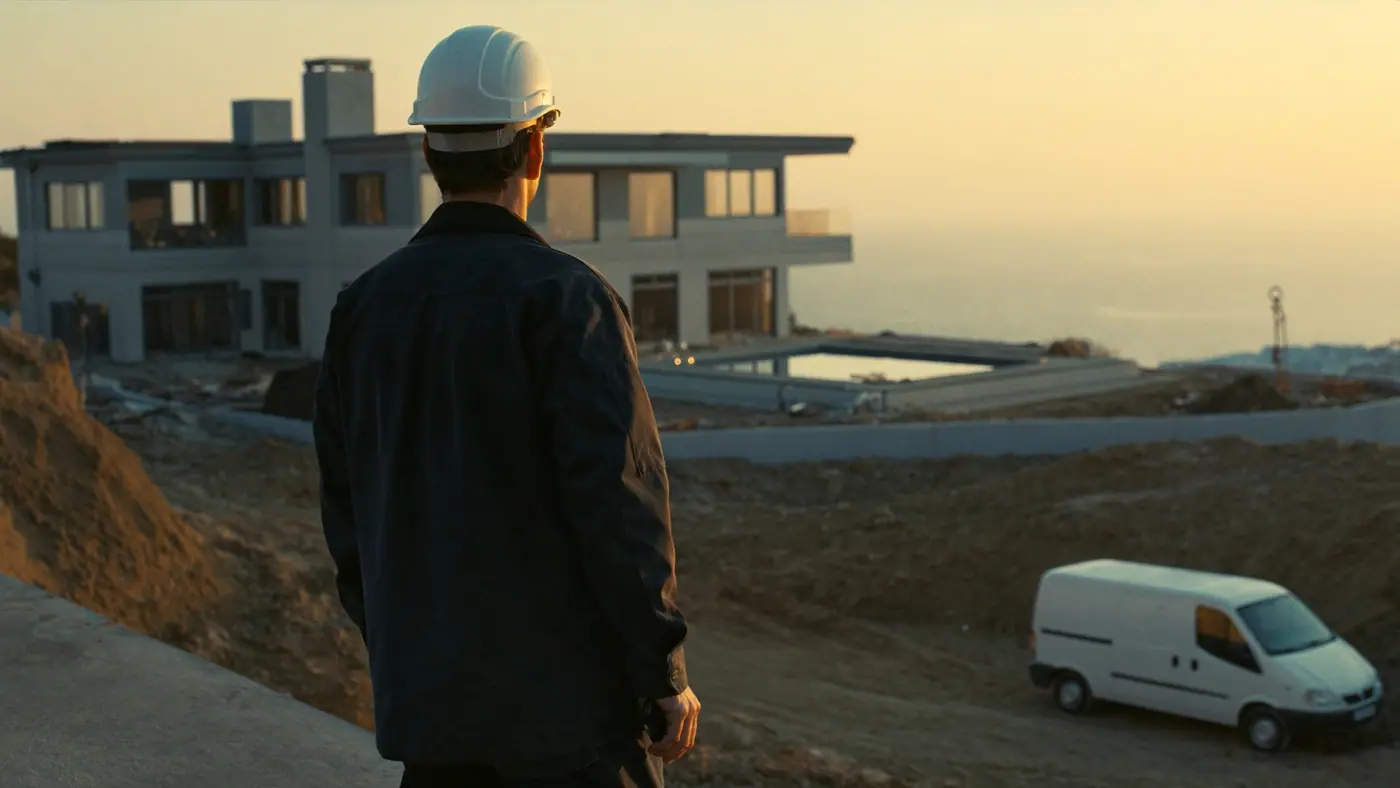
Workflow
How does a construction job move from survey to handover?
Seven stages from the survey request to final acceptance: for each, where the job falls between site and office today, and which Corex360 record it is tied to. Each stage is covered in detail on the page in the last column. The stages are the survey request, survey and quantity take-off, quote, contract and work schedule, site report, progress payment and invoice, and provisional and final acceptance.
| Stage | In most firms today | In Corex360 | Read more |
|---|---|---|---|
| Survey request | The request comes in by phone, WhatsApp, or one employee's email; nobody knows whose desk it lands on. | A client's survey request on WhatsApp and a question from Instagram or web chat both land in the Messaging inbox and are handed to an owner; a request by phone is tied to the caller's card in the Call Centre in the browser. | Unify your channels |
| Survey and quantities | Measurements, notes, and ground photos stay on the foreman's phone. | Survey photos and measurement files sit in the customer's record in Corex Drive; sharing uses a time-limited, revocable link. | Document management |
| Quote | The quote is prepared in a separate file; when the client asks about last week's price, someone digs through the archive. | Open the client's card and every quote is there, under Quotes; if a quote gets no reply, X AI reminds you, and nothing reaches the client without your approval. | CRM module |
| Contract and work schedule | The site manager reads scope and payment plan from a forwarded copy, not from the signed contract. | The contract sits in the Contracts tab and the project opens in the same card's Projects tab; the site manager reads the scope on the card instead of waiting for a separate file. | Project manager |
| Site report | The site manager writes the report from memory in the evening, and head office calls all day. | The pour and works photos the site manager takes during the day go into the client's record in Corex Drive together with the report file. The fleet tracking system connects to the Corex360 core as well. | Field and operations |
| Progress payment and invoice | A progress payment draws on three sources: the site measurement, the contract price, and the payment record in accounts, each kept in a different spreadsheet. | The progress payment file is added to the contract's record in Corex Drive; the calculation follows your own method. | Accounting and HR |
| Provisional and final acceptance | The snag list and owners' complaints are left without an owner once the site closes. | After acceptance, a flat owner's snag report ends up on that person's record whether it came as a message, a call, or an email, and it is assigned an owner; the record shows when you last spoke. | CRM (customer relationship management) for construction firms |
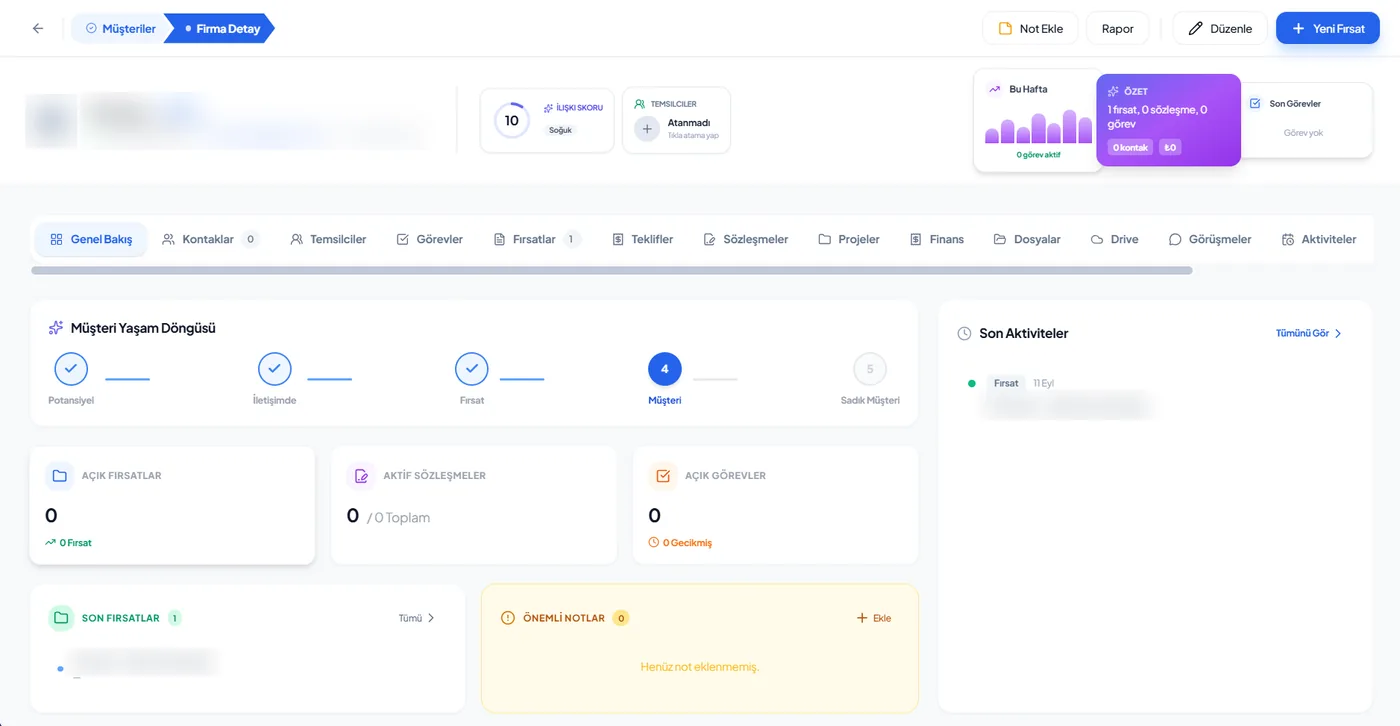
Real screen
On the customer card, the site sits too.
In construction the most used tabs are Contracts, Projects, Finance, and Files. In a land-for-flats deal, the landowner, their representative, and the flat buyers sit in the Contacts tab as separate people. A subcontractor is a company record too; its contract and files build up on its own card. The site manager reads the contract from the same card; survey and site files sit inside that record in Corex Drive.
- Contacts
- Contracts
- Projects
- Finance
- Files
Follow-up
How does a delay show early?
On a building job a delay often starts with an unanswered quote or an approval email nobody filed. Corex360's assistant X AI watches rule-bound work and opens a task with an owner when something stalls; at money decisions such as progress payments and contracts it stops and asks you. For example, if the client does not answer the quote for an extra building, a reminder note is prepared as a draft; the client's approval email is filed on the customer card.
- What happened
- The annex quote went to the client
- What is missing
- No answer from the client
- In Corex360
- X AI flags the quote; the follow-up note to the client stays a draft until you approve it
- What happened
- An approval email arrives from the client
- What is missing
- Company email is connected
- In Corex360
- X AI reads the email, matches the sender to the customer card, and files it there
The trade's vocabulary
Which terms are used on a building site?
At a construction firm, the work from survey to final acceptance is discussed between site and office in these terms: progress payment, quantity take-off, work schedule, provisional acceptance, final acceptance, land-for-flats deal, and subcontractor. When the site manager and accounting use the same term, the progress payment file speaks the same language as the contract. Some are covered in more detail in the Corex360 glossary.
- Progress payment
- Work done in a period is measured and priced against the contract's unit prices or the lump-sum work schedule. In the glossary.
- Quantity take-off
- Measuring the amount of work at survey or during construction; the basis for both the quote and the progress payment.
- Work schedule
- The plan showing in which order, and by which date, the contracted works are done.
- Provisional acceptance
- The first handover when works finish; snags are listed at this stage.
- Final acceptance
- The last handover, after snags are fixed and the warranty period ends.
- Land-for-flats deal
- A contract in which the landowner gives the plot to the contractor in return for specific units in the building to be built.
- Subcontractor
- A firm to which the main contractor passes part of the work under contract.
Limits
What does Corex360 do at a construction firm, and what is decided with you?
At a construction firm, Corex360 keeps survey photos, the quote, the contract, and the progress payment file on one customer record; it flags unanswered quotes and shows when a contract starts and ends. It does not calculate progress payments. How you prepare the progress payment file today, how project steps are followed site by site, how subcontractor invoices are linked, and which role sees which record depend on how your firm works and are decided with you.
What Corex360 does in this industry
Keeps survey photos, the quote, the contract, and the progress payment file on one customer record.
Flags quotes that got no answer; shows when a signed contract starts and ends in the Contracts tab, and leaves progress payment and price decisions to you.
Does not calculate progress payments; it keeps the file on the contract's record.
Topics for the demo
The way you prepare the progress payment file today.
How project steps are followed site by site.
How contract renewals are followed.
Linking a subcontractor's invoice to a project and contract; how it works with your existing accounting software.
The model of your fleet tracking system and attendance device; both are among the sources that connect to the core.
Which role sees which record; access is role-based.
See it with your own site.
Bring one survey request and one progress payment file; in the demo we follow both on the same customer record together.
Related pages
Where else is construction work explained on other pages?
How quotes, sites and progress payments connect at a construction firm has its own blog post, and a field lead's day is on the field and operations role page. How a project opens from an accepted quote and how overdue receivables are followed are covered in two separate posts; Corex Drive, where survey and site files sit, and the side of the architecture practice that draws the project have their own pages.
FAQ
What construction firms ask us.
What is a CRM for construction firms?
For construction firms, a CRM is software that keeps a job's client, quote, contract, site files, and post-handover requests on the same customer record. It does not replace the accounting program or the site diary; it shows in one place who promised what from sale to handover, and which document belongs to which job.
How do construction firms use Corex360?
Customer, contacts, opportunities, quotes, and contracts sit on one record; survey photos, site files, and progress payment documents sit inside the same record in Corex Drive, and the project opens from the Projects tab. Sales, the site manager, and accounting stop keeping separate files for one job; signing is where the project starts, not where sales stops.
How should construction firms choose a CRM?
Ask about progress payments first: is the calculation done in the software, or is the document tied to the job record? They are different things. Look at how several sites are followed at once, which job a subcontractor's document goes against, and what the site crew can see on a phone.
Does Corex360 calculate progress payments?
No. The calculation follows your current method. Corex360's job is to keep the progress payment file on the contract's record: the file is in Corex Drive and the contract in the same card's Contracts tab. So which contract an amount belongs to is read without hunting for files.
How do we follow several sites at once?
Every site has its own entry under the Projects tab of the customer it belongs to. When work stalls on a site, X AI opens a task by rule and hands it to its owner; the morning report comes every day as well. The manager's morning is on the Managers page.
Which job does a subcontractor's invoice go against?
The subcontractor has its own company record; its contract sits in the Contracts tab and its files in Corex Drive on its own record. Linking the invoice to a project and contract, together with your accounting software, is on the topics for the demo list.
How do we see why a crew arrived late on site?
The attendance device connects to the core and clock-ins land on the employee card; the fleet tracking system is among the connected sources too. Attendance is covered on the HR and attendance page.
Who picks up complaints that arrive after handover?
A flat owner's complaint on WhatsApp, Instagram, or web chat arrives in the one Messaging inbox and is assigned an owner, and the conversation stays on the customer card rather than the phone of whoever made the sale. Repeat work begins from that card as well: when the client calls about a new plot, the earlier quote and contract are in the Quotes and Contracts tabs.
How does Corex360 know construction?
Construction is one of the three sectors Savaş Grup grew in, alongside architecture and pools. Corex360 is the group's technology company: it was set up to gather the scattered records of the group companies and was first used in the group's own work. The origin story is on the About page.
Other industries
Working in another industry?
Corex360 industry pages show how the same customer card fills up in different trades: pool and spa, architecture practice, construction, showroom and store, technical service and maintenance, manufacturer and dealer network. Each page gives that trade's stages, where work most often breaks, the follow-up rules and the trade's own terms in the same order; the core is the same in every industry.