

Project management software keeps a job's steps, owners, delivery dates, and progress in one place and lets the team work to that plan. Task lists, calendars, board views, and reports are the common parts of such tools. The least discussed moment in that definition is the day the customer accepts the quote.
01.What does project management software do?
Project management software breaks the work into steps, gives each step an owner and a date, and lets everyone see progress on the same screen.
Example scenario: Picture a pool builder in Antalya. A villa job starts with a site survey, followed by drawings, excavation, tiling, the plant room, and handover. Each step has an owner, a start, and an end. Project management software writes this sequence down and shows who is waiting on what.
Writing the plan is the easy part; the software's real job is to show everyone when the plan breaks. If the tiling crew is a day late, the plant room's start slips too. The software shows the slip and tells the owners affected. The survey photos, the approved drawing, and the materials list sit next to the work as well; when documents live in a separate folder, the field crew may work from an old drawing.
These tools present the work in different views. A board view (kanban) shows steps as cards in columns such as to do, in progress, and done. A timeline (Gantt) lays steps out as bars on a calendar and shows which ones slip when one is late. Whatever the view, the same record sits underneath.
02.Is task tracking the same as project management?
No; task tracking follows individual jobs, while project management ties those jobs to a goal, an order, and a delivery date.
A task list answers the question of what needs doing. A project asks more: in what order, by whom, by when, and for which customer. In the pool example, the plant room cannot start before the tiling is finished; a task list does not know that, a project plan does.
Small teams often start with a task list, and that can be enough. When jobs for more than one customer run at the same time, when steps depend on each other, and when the delivery date is written in a contract, a project record becomes necessary. One sign helps: if the same job has its own calendar in a spreadsheet, its own WhatsApp group, and its own email thread, task tracking has reached its limit. At that point, what brings the work together is the project record.
03.Why does work break when the quote is accepted?
When the quote lives in one tool and the project opens in another, scope, price, and customer notes are carried over by hand; whatever cannot be carried is lost.
The salesperson meets the customer several times and notes the tile colour, the delivery month, and the condition that access is only through the garden gate. The quote is accepted. If the project team opens the job in another tool and sees only the quote PDF, the garden gate note stays in the salesperson's email, and on day one the excavator may not get through the gate. The note is well written; it simply sits in the wrong place, where the project team never looks.
There is no bad intent behind the break; the two records simply do not know each other. Everything sales knows should be in the project on its first day.
The break has a finance side as well. If the quote sets out a deposit and interim payments, those terms should match the project steps. The excavation is finished, but if accounting never hears of it, the interim invoice is never raised. The same break happens the other way: when the project team does work outside the scope and that news never reaches sales, the extra work is never billed.
04.How should the project open once the quote is accepted?
The project should open from the accepted quote: customer, scope, and contacts come from the same record without copying, and steps and owners are written on day one.
- The accepted quote is tied to a contract; scope and line items are read from there.
- The project opens from the same customer record; contacts and address are not retyped.
- Sales notes and correspondence sit where the project team can see them.
- Steps, owners, and delivery dates are put on the calendar on day one.
- Field reports and photos are tied to the relevant step.
The plan written on day one does not have to be right in every detail; it will change. What matters is that changes are made on the same record and everyone sees the same plan. If the plan is updated in a separate file, the team soon starts working to two different plans. When the scope comes from the accepted quote without being copied, no gap is left between the scope agreed with the customer and the scope the team works to.
05.Where does the manager see project progress?
Project progress should appear on one screen, through open steps, late deliveries, and reports from the field, instead of in a separate status meeting.
If the question "where are we" is asked project by project in the Monday meeting, the meeting runs long and the answers come from memory. If steps are closed on the record, the answer is already on the screen, and the meeting is left for the matters that need a decision.
The questions a manager wants answered on the project screen are clear: which step is late, which is waiting for approval, which project has no report from the field. As steps close on the record, the answers form by themselves. The Monday meeting stays, with a new agenda; instead of reading out status, it focuses on why a step is late and what to decide.
Reports from the field are part of this screen too. If the photo report is tied to the project step, the manager sees where the work stands without calling the site; if no report has come in, that is a signal as well.
In Corex360 the manager's day starts with the morning briefing. X AI reads the customer, contract, invoice, staff, and project records in the core and ranks pending approvals and risks by the manager's own rules. You can follow how this briefing is used in a manager's day on the manager's morning briefing page.
06.How does a quote become a project in Corex360?
In Corex360 the quote and the contract sit on the same customer card, and the project and finance tabs open from that card too.
On the customer card, quotes, contracts, projects, finance, and files sit side by side as tabs; when a project opens, the customer and contacts are not retyped. The field team enters its report and photos from the phone, and the report is tied to the project and the customer card. What this flow looks like on a building site is covered in quotes and site records in construction.
So what sales knows is not copied into the project; it is already there. Because the garden gate note sits on the same customer card as the quote correspondence, the project team sees it on day one.
Project and finance records open from the Projects and Finance tabs of the customer card. Short answers about projects and accounting are on the projects and accounting questions page.
Start the demo with your own quote: let us turn an accepted quote into a project and write the first steps, owners, and delivery dates together.
Sources
How was this page prepared?
- Written by: Şevket Erer, Co-founder, AI Specialist
- Sources: official body, standard, and vendor information is taken from the primary sources in the Sources list on this page; each source shows the date it was last checked.
- Product information: sentences about Corex360 rest on the company's product fact records; unconfirmed features are not written.
- Use of AI: the Corex360 team writes the text; AI tools are used for drafting and translation. Publishing principles
- Dates: first published , last updated . Corrections policy
Frequently asked
01What is project management software?
Project management software keeps a job's steps, owners, delivery dates, and progress in one place and lets the team work to that plan.
02What are kanban and Gantt?
Kanban is a board view that shows steps as cards in columns such as to do, in progress, and done. Gantt is a timeline that lays steps out as bars on a calendar. Both are different views of the same record.
03What happens to the record when a project closes?
A closed project should not be deleted; its steps, reports, and correspondence stay on the customer record. For the next quote, how the previous job went can be read from there.
04Should project software be separate from CRM?
When they are separate, the scope and customer notes in the quote are carried over by hand and some are lost. In Corex360 the quote and the contract sit on the same customer card, and the project and finance tabs open from that card too.
05How does the field team report on the project?
In Corex360 the field team enters its report and photos from the phone, and the report is tied to the project and the customer card. Nobody writes the report from memory in the office that evening.
06When should a project delay be reported to the customer?
On the day the delay is noticed, together with the new date. Writing the message to the customer on the same record prevents a later argument about not being told.
We listen to your business with a few short questions and prepare a live online demo with your channels.
Related articles
Keep reading.

Project management software is chosen by the kind of work: an agency, a building site, and a software team weigh different criteria, and a demo settles it.
DateRead the article01ProjectsAre task tracking and project management the same thing: where the difference begins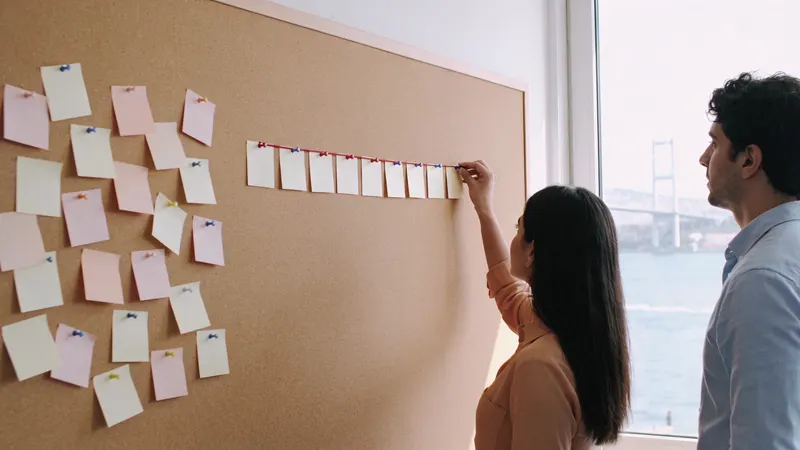
Task tracking follows single jobs; project management follows linked jobs towards one delivery. Which you need, what a delay does, and how tasks join a project.
DateRead the article02FieldWhat is a route plan? Route planning for sales reps and the order of field visits
A route plan shows which customer a field rep visits on which day and in what order. It is not the same as a route, and it too often stays on paper.
DateRead the article03FieldWhat is field sales automation, and how it differs from mobile CRM
Field sales automation keeps a rep's day on one record, from plan to report; mobile CRM carries the record to the phone. Which one fits depends on the team.
DateRead the article04FieldHow to manage a field service team: work orders, routes, and reports
A field service team runs on jobs opened with a work order, assigned to the right person, and closed with a photo report, from morning job to upkeep.
DateRead the article05IndustryCRM for construction companies: quotes, sites, and interim payments on one record
A CRM for a construction firm keeps a job's trail on one record, from survey and quote to contract, site, and interim payments, so no note gets lost.
DateRead the article06IndustryHow to set up quote and project tracking in an architecture practice
Project tracking in an architecture practice keeps scope, stages, revisions, and files on one job record, so the order no longer lives in one person's memory.
DateRead the article07IndustryHow pool and spa companies track after-sales service
Pool and spa firms track after-sales service by keeping equipment, warranty, maintenance contract, and fault history on the customer record after handover.
DateRead the article08