
Industry · Showrooms and stores
With a showroom CRM, the customer leaves the store,
not the record.
Corex360 is a business application that turns a showroom visitor into a customer card on the day. The photo of the door colour they liked sits in Corex Drive, the estimate given sits on the card as a note, and the quote sits in the Quotes tab. A WhatsApp or Instagram message after the visit lands in the same inbox, and X AI reminds you about an unanswered quote.
Last updated:

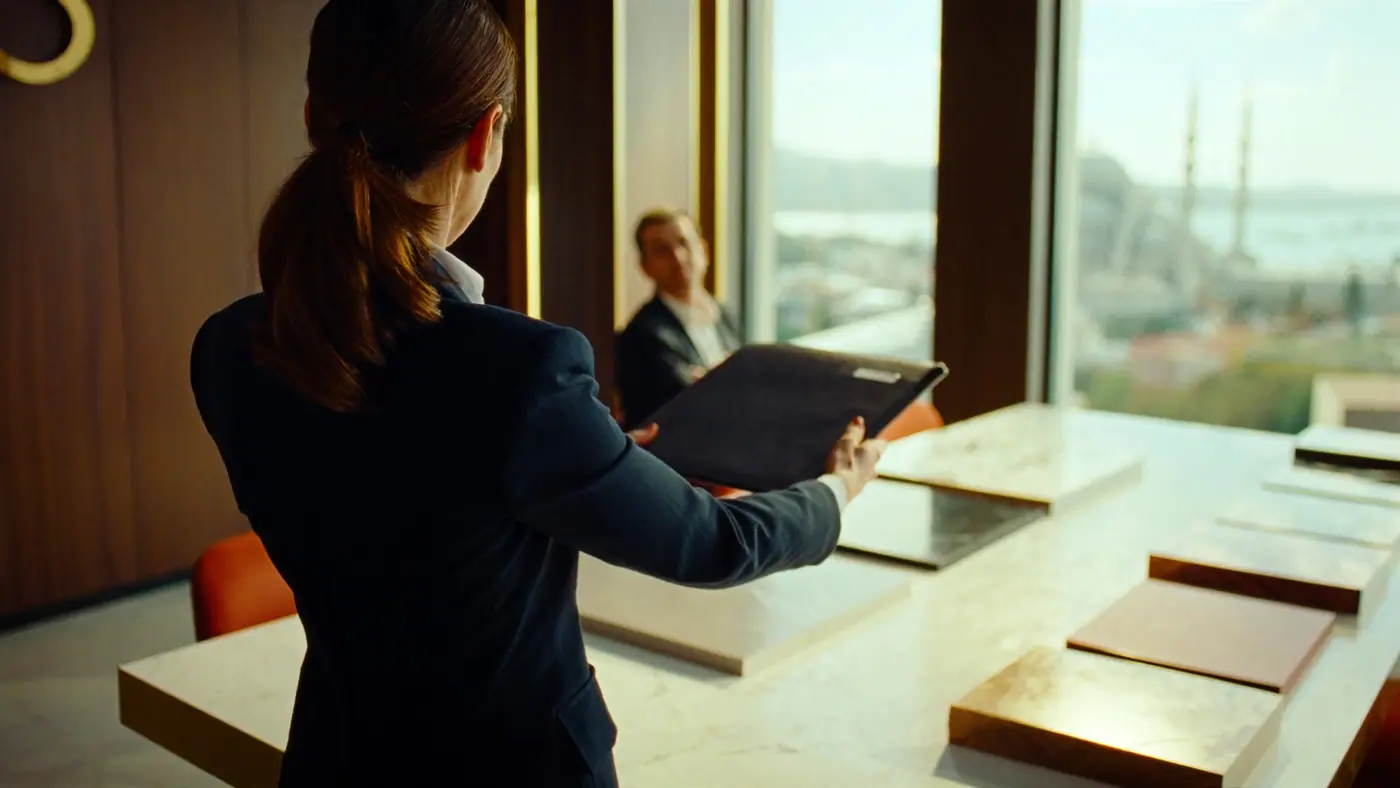
A Saturday at a kitchen showroom · illustrative
Saturday is busy, by Monday nobody remembers.
Saturday afternoon and the store is full. A couple redoing their kitchen compare cabinet finishes, take a worktop swatch home, and ask which day someone can come to measure. The consultant is also looking after another family choosing a bathroom cabinet. The couple leave with a business card; two days later the consultant can only recall that they liked something white.
On Monday the couple ask about a model on Instagram, and on Wednesday they send a photo of their kitchen on WhatsApp. When those chats sit on the consultant's own line, the couple's question reaches nobody during the week the consultant is off. When the final price after measuring differs from the estimate, the only proof of which measurements the estimate assumed is the piece of paper in the customer's hand.
In Corex360 the visit note goes onto the customer card with Add Note and the sample photo into Corex Drive, and the product of interest is recorded as an opportunity. Instagram and WhatsApp messages land in the same Messaging inbox and do not stay on the consultant's phone. When a discount is needed, X AI stops and asks; the approval is logged with who and when.
Workflow
How does a showroom sale move from the visit to fitting day?
With made-to-measure products a sale never ends in one visit: estimate, measuring, final quote, deposit, production, and fitting follow one another. The table ties each link of that chain to a Corex360 record. Each row shows where that stage most often breaks today and which Corex360 record holds it, side by side.
| Stage | In most firms today | In Corex360 | Read more |
|---|---|---|---|
| Store visit | The number goes into the consultant's contacts or a notebook; the customer belongs to the consultant, not the store. | The visitor opens as a customer card and the product of interest is recorded as an opportunity; the card's lifecycle is marked from Lead to Customer. The sample photo sits inside the record in Corex Drive. | CRM module |
| Estimate | The estimate leaves the showroom on a sheet of paper and no copy is kept in-store. | The estimate and the measurements it assumes are written on the customer card with Add Note. | Customer follow-up in showrooms |
| Messages after the visit | Instagram and WhatsApp messages stay on the consultant's personal phone. | Instagram and WhatsApp messages come together in one Messaging inbox; the conversation stays on the customer card, not on the consultant's phone. | Unify your channels |
| Measuring and final quote | The revised quote is made in a separate file and the old figure is forgotten. | Each quote is filed under the Quotes tab of the card; when a chat is converted into an opportunity, it carries the opportunity number. | How to prepare a quote |
| Discount approval | If the manager is out, approval is given verbally by phone and never recorded. | X AI stops at money decisions and asks; a discount waits for approval, and the approval is logged with who, when, and from which device. | Sales teams |
| The customer who goes quiet | Not wanting to bother the customer, the consultant puts off the call until it never happens. | X AI brings the quiet quote back to you; the follow-up to the customer waits as a draft until you approve it. | Hand it to the assistant |
| Deposit, production, fitting | The customer calls the store to find out the fitting date, and whoever answers does not know. | Fitting is run as a project under the Projects tab of the customer card; open tasks and recent activity show on the Overview. | Field and operations |
Real screen
Every visit an opportunity, every card a sales file.
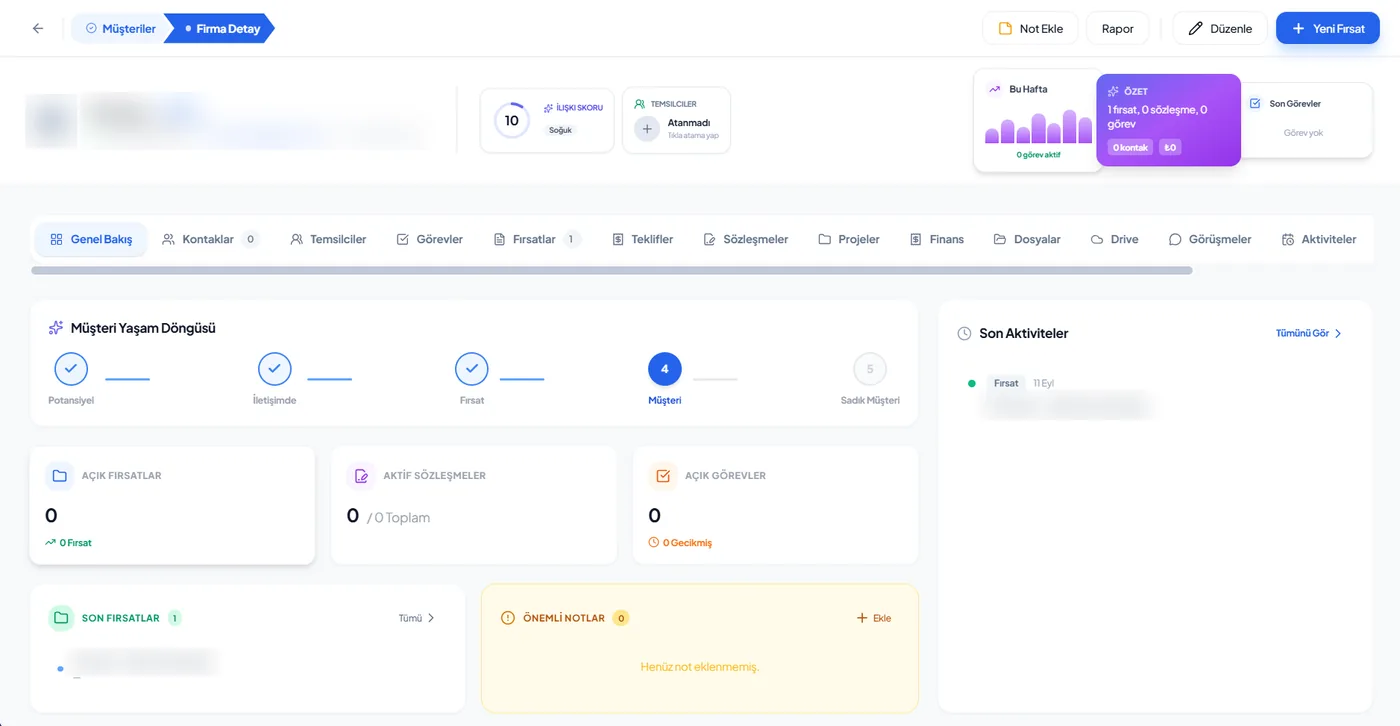
In a showroom the Opportunities and Quotes tabs of the Corex360 card stand out, and open opportunities show in their own box on the Overview. At month end, which products were asked about and which turned into quotes are read from the opportunity records, so display and stock decisions are not left to guesswork. The fitting project sits in the Projects tab, where anyone who talks to the customer can see it.
- Opportunities
- Quotes
- Contracts
- Projects
- Files
Follow-up
What decides when to follow up?
In showroom sales customers rarely say no; they go quiet. Corex360's assistant X AI follows rule-bound work and stops at money and contract decisions to ask you. For example, if a quote gets no reply a reminder draft is prepared, if the quote carries a discount the decision is asked of you, and a product question from Instagram is assigned to an owner.
- What happened
- A quote was sent
- What is missing
- No reply from the customer
- In Corex360
- X AI reminds you; the reminder is a draft and you have the last word
- What happened
- A quote includes a discount
- What is missing
- The decision involves money
- In Corex360
- X AI stops and asks; the approval is logged with who, when, and from which device
- What happened
- A product question arrives on Instagram
- What is missing
- It is unclear who owns the conversation
- In Corex360
- The conversation is assigned an owner; the consultant finds it under the Assigned to me filter
The trade's vocabulary
Which terms come up in showroom sales?
In a showroom selling made-to-measure products, the work from visit to fitting is discussed between consultant and customer in these terms: estimate, site measurement, sample, deposit, revised quote, and fitting. When the consultant and the fitting crew use the same term, the estimate and the final quote do not get mixed up. The general meaning of a quote revision is in the glossary.
- Estimate
- An approximate price given on the day of the visit, before final measurements; if the measurements and materials it assumes are not written down, the next conversation turns into an argument.
- Site measurement
- The exact measurement taken where the product will be installed; for made-to-measure products the final quote comes after it.
- Sample
- The door, worktop, or finish piece the customer looks at to choose colour and material.
- Deposit
- The advance payment that confirms the order and lets production start.
- Revised quote
- A new version of the quote after measuring or after the customer makes a change. In the glossary.
- Fitting
- Installing the finished product at the customer's premises; the last step of the order.
Limits
What does Corex360 do in a showroom, and what is decided with you?
In a showroom, Corex360 turns the visitor into a customer card on the day, keeping the product of interest as an opportunity and the sample photo as a Drive record; it flags unanswered quotes and stops to ask on discounts. Stock, production, and ordering are outside the scope described. Who approves discounts, access across stores, the fields the consultant fills in the app, and how the steps from deposit to fitting are followed depend on how your firm works and are decided with you.
What Corex360 does in this industry
Turns the visitor into a customer card on the day, keeping the product of interest as an opportunity and the sample photo as a Drive record.
Reminds you about unanswered quotes and stops to ask on discounts; messages to customers go out only with your approval.
Stock, production, and ordering are outside the scope described for a showroom.
Topics for the demo
Who approves discounts.
With several stores, which role sees which store's records; access is role-based.
The scope for your existing production or stock system.
The fields the consultant fills in the app during a visit.
How the steps from deposit to fitting are followed.
Processing visitor data under KVKK (Turkey's data protection law); agree the wording of the privacy notice with your lawyer.
See it with your own store.
Tell us about the quote layout you use and a busy Saturday; in the demo we rebuild that day on customer cards.
Related pages
Where else is showroom selling explained on other pages?
Customer follow-up from showroom visit to quote has its own blog post, and a salesperson's day is on the sales team role page. How WhatsApp conversations land on the customer card and the logic of quote tracking are covered in two separate posts; the Messaging module, where messages gather, and construction work, where fitting turns into a site job, have their own pages.
FAQ
What showroom owners ask us.
What is a CRM for showrooms and stores?
For showrooms and stores, a CRM (customer relationship management) is software that keeps the visitor, the product they looked at, the quote given, and the fitting or delivery job on the same customer record. In this trade a sale rarely closes on the first visit; the customer measures, thinks, and comes back by message days later. When they do, what was said at the first meeting is read from the record, not from a consultant's memory.
How do showrooms and stores use Corex360?
It keeps the customer card opened on the day of the visit, the product of interest as an opportunity, the sample photo in Corex Drive, the estimate as a note, the quote in the Quotes tab, and the fitting project in the Projects tab. Instagram and WhatsApp messages after the visit land in the same inbox, so follow-up belongs to the store, not the consultant.
How should showrooms and stores choose a CRM?
Look at how quickly a record opens in the store: can a consultant open a card without leaving the customer? If you have several stores, ask what head office sees, who holds discount approval, and who tells the customer the fitting date. In Corex360, WhatsApp and Instagram conversations gather in one inbox in the Messages window; when a conversation becomes an opportunity, its source shows on the card.
Can a consultant open a record without leaving the customer?
Corex360 has iOS and Android apps connected to the same core. Once the card is open, the visit note goes on with Add Note and the sample photo into Corex Drive. The fields filled in the app are on the topics for the demo list.
If we have several stores, what does head office see?
Access is role-based; each user sees only the records within their role. The store manager does not collect reports from consultants: X AI provides the morning report and the end-of-day summary itself.
How does discount approval work?
X AI stops at money, contract, and people decisions and asks; a discount waits for approval. The approval is logged with who, when, and from which device. X AI drafts the message to the customer, and it goes out only with your approval.
Who answers a customer asking for the fitting date?
Anyone who answers the phone. The fitting project is in the Projects tab of the customer card, and the Overview shows open tasks and recent activity, so nobody has to call back with the answer.
Other industries
Working in another industry?
Corex360 industry pages show how the same customer card fills up in different trades: pool and spa, architecture practice, construction, showroom and store, technical service and maintenance, manufacturer and dealer network. Each page gives that trade's stages, where work most often breaks, the follow-up rules and the trade's own terms in the same order; the core is the same in every industry.
Sources
- Personal Data Protection Law (mevzuat.gov.tr) Last checked