
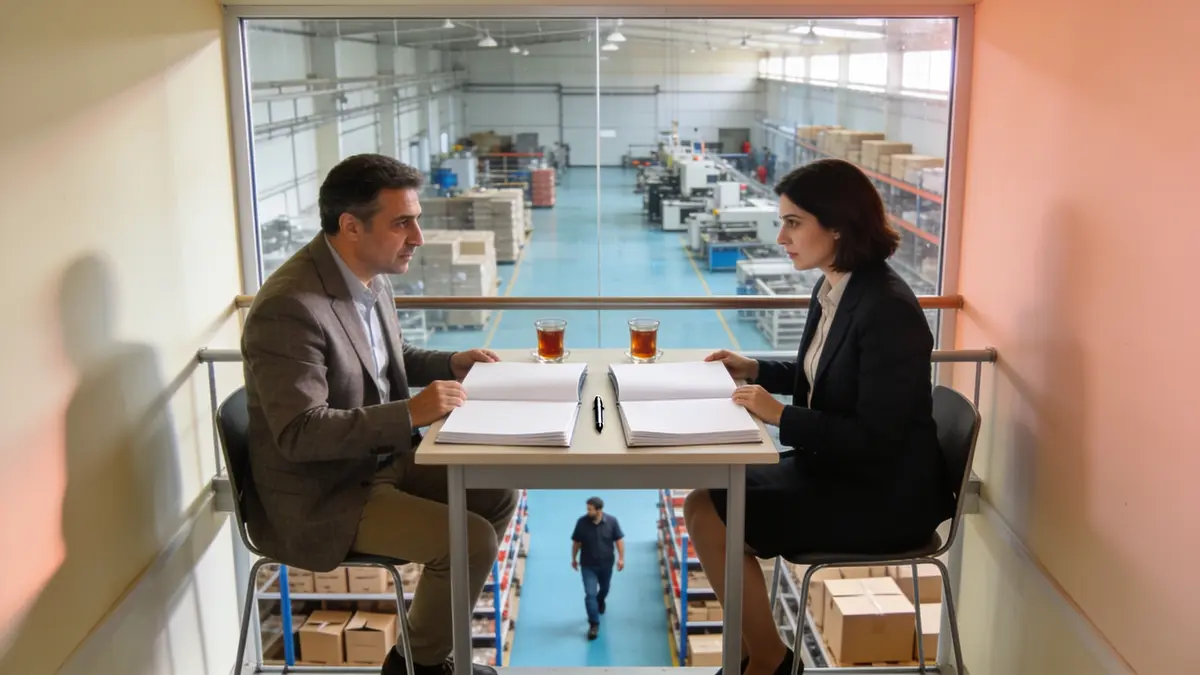
Choosing ERP software starts with finding which information is written in more than one place in your company today. If the warehouse retypes the order sales entered, and accounting enters the invoice a third time, the first job of an ERP is to remove that repetition. Module scope, hosting, accounting and e-document arrangements, data migration, and the demo are judged against that finding; the feature list comes last.
01.Where does choosing an ERP start?
The choice starts from a short list of the data that is carried by hand today rather than from a product catalogue; that list also tells you which modules are essential.
Eurostat, the statistical office of the European Union, defines ERP as software that eases the flow of information across several functions of an enterprise and integrates that information; it notes that modules typically bring together planning, purchasing, marketing, sales, customer relationship, finance, and human resources. The definition is on Eurostat's e-business integration page.
Example scenario: picture a home textiles maker in Bursa that sells both through dealers and online. A dealer order arrives by email, a sales rep types it into a spreadsheet, the warehouse copies the same order into its own list, and accounting issues the invoice in a separate program. Once the firm wrote these steps down, what it expects from an ERP would also become clear: the order written once and reaching the warehouse and the invoice on its own.
When the list is drawn up, every department is asked the same questions:
- Which information do you take from another department and retype on your own screen?
- Which report is prepared every month from spreadsheets merged by hand?
- When customer or product details change, in how many places do you correct them?
- Which approval is given today by email or phone and never recorded?
02.Which modules are needed from day one?
The modules needed from day one are those that hold the data carried by hand the most today; the rest can be switched on in stages once the team is used to the first ones.
Switching on every module on the same day looks tempting, but the team then has to learn every screen at once and the pull back to the old way grows. For the Bursa firm the first round would be customer and order records, stock, and invoicing; human resources or project tracking could wait for the second stage.
A staged roll-out has one condition: when the second-stage module arrives, it should not ask for the first-stage records all over again. If the staff list is already in the system when the human resources module opens, and the customer cards are ready when project tracking opens, the stages build on each other; otherwise each stage becomes a small re-installation.
The question to ask when choosing modules is whether they share the same database. With programs bought separately and connected afterwards, the customer lives in two places, and the repetition returns when the link breaks. What ERP is covers the basics of the concept, and stock tracking software and ERP covers needs that start with stock.
Should all the work sit in one system, or should each job get its own tool? The criteria for that decision have their own article: integrated business software or separate tools.
03.Should the ERP run in the cloud or on your own server?
The cloud brings quick setup and leaves maintenance to the provider; your own server keeps the data on the company's infrastructure. The choice follows your data policy and your capacity to maintain it, and is written into the contract.
In the cloud, servers, updates, and backups are the provider's job; the company simply uses the system. On your own server the data stays in the company's server room or a data centre of its choice, the company sets the access and backup rules, and maintenance falls to it too. The questions to ask are the same for both: which country the data is in, where the backups are, and how the data comes back when the contract ends.
Tomorrow's needs also shape the decision. A company that starts in the cloud today but may want to move to its own server later should ask up front whether the provider allows that move and in what format the data would travel. A choice with no way across makes the next choice today.
You can see the details of the decision, and what changes for personal data, on the cloud or your own server page.
04.How should accounting and e-documents be discussed?
Before choosing, it should be settled in writing whether the ERP will replace your current accounting program or sit alongside it; the invoice and e-document flow is built around that decision.
In many businesses the external accountant has worked with the same accounting program for years and does not want to change it. In that case the ERP issues the invoice and the accounting entry is completed in the accountant's program. If this split is not discussed up front, the same invoice shows up twice in two systems, or not at all.
Electronic invoicing and archiving obligations depend on the company's situation. When taking quotes, ask the provider line by line which document goes out from which system and by which route; if the answer is a general 'we support that', ask for the details in writing before setup.
The Bursa firm's online sales belong under this heading too. If the channel an order came from, the system the invoice was issued in, and the moment stock was reduced do not show in the same flow, accounting and the warehouse will give different figures for the same product at month end. Drawing the flow on paper before setup brings that gap to light from the start.
05.How should data migration and the demo be judged?
The demo should use a sample of your own customer, product, and order records; the scope of the migration and who does it should be a separate line in the quote.
A demo on ready-made data always looks tidy. A demo on your own data raises the real questions: how two spellings of the same customer will be merged, how old product codes will be mapped, and from which date open orders will move into the new system. For the Bursa firm, the most instructive moment would be following one dealer's order from last month through the new system from start to finish.
When comparing quotes, ask for licence, user and module scope, hosting, data migration, training, and maintenance on separate lines. A quote that bundles everything into one figure makes it hard to compare two providers. Ask the same about support: who you reach, and through which channel, when something goes wrong after setup, and how training is given when a new user joins, should be written in the quote. The format in which your data is handed back when the contract ends belongs on the same list.
06.How is ERP set up in Corex360?
Corex360 is a CRM, ERP, and automation platform with a business intelligence core; its modules are parts of the same core, information is entered once, and the system runs on Corex360 Cloud or on your own server.
In Corex360 the modules use the same customer record. The customer sales creates is the same record accounting sees on the invoice, so customer details are not typed a second time. To ask which screens cover the order, stock, and warehouse steps in the Bursa example, bring one of your own orders to the demo. The difference between CRM and ERP explains where the two part ways.
The Accounting module has sales and purchase invoice screens and integration options for accounting software; which option fits your set-up is checked together before setup. The hosting choice, a company-specific space on Corex360 Cloud or your own server, is written into the contract.
No list price is published on the site; pricing comes in a written quote after a demo on your own data.
Sources
- Eurostat, E-business integration (definition of ERP) Last checked
How was this page prepared?
- Written by: Şevket Erer, Co-founder, AI Specialist
- Sources: official body, standard, and vendor information is taken from the primary sources in the Sources list on this page; each source shows the date it was last checked.
- Product information: sentences about Corex360 rest on the company's product fact records; unconfirmed features are not written.
- Use of AI: the Corex360 team writes the text; AI tools are used for drafting and translation. Publishing principles
- Dates: first published . Corrections policy
Frequently asked
01What is the first step in choosing ERP software?
The first step is to list which information is typed by hand in more than one place today. How many times order, stock, invoice, and customer details are re-entered shows which modules are essential.
02Should ERP and CRM be in the same system?
If the customer is kept separately in two systems, the same record is updated twice and drifts apart over time. When both functions share one database, the customer sales creates is the same record on the invoice.
03How long does moving to an ERP take?
It depends on the number of modules, how clean the data is, and how much time the team can give, so a single figure would be misleading. In a staged move, new modules are not switched on until the first ones have settled.
04Does our accountant have to change programs?
Not necessarily. The ERP can issue the invoice and leave the accounting entry to the accountant's program; this arrangement should be settled in writing before choosing.
05Why should the demo use our own data?
A demo on ready-made data always looks tidy. Your own customer and order records bring out real migration questions in the demo, such as duplicate records, old product codes, and open orders.
06Which hosting options does Corex360 offer?
Corex360 runs in a company-specific space on Corex360 Cloud or on your own server; the choice is written into the contract.
The accounting module issues sales and purchase invoices on the same core as the customer card; let us trace one of your own jobs from quote to invoice together.
Related articles
Keep reading.

Inventory software tracks what comes in, goes out, and remains; ERP ties each movement to orders, invoices, and cost. A few signs show which one you need.
DateRead the article01ERPWhat is ecommerce ERP integration: how an order comes off stock
Ecommerce ERP integration carries orders into the ERP and stock and prices to the store. Without it, an overnight order does not come off stock on time.
DateRead the article02ERPWhat drives ERP cost: the items behind the quote
ERP cost comes from the licence model, user and module scope, hosting, data migration, integration, training, and maintenance. Compare quotes item by item.
DateRead the article03ERPWhat is ERP? What it does and does not do for a small business
ERP is software that keeps purchasing, stock, invoicing, and payroll records in one database. In a small business it stops double entry, but not every problem.
DateRead the article04AccountingHow to choose bookkeeping software: invoices, accounts, and the link to sales
When choosing bookkeeping software, weigh e-invoicing, customer accounts, cash and bank, data sharing with your accountant, and the link to sales.
DateRead the article05AccountingWhat is bookkeeping, and where does it part ways with ERP?
Bookkeeping records daily trade, from invoices to the till, before it reaches the official accounts. It differs from formal accounting and from ERP.
DateRead the article06AccountingCollections tracking: how an overdue receivable becomes visible
Collections tracking follows due dates and open balances by customer. If an overdue receivable never reaches the sales screen, nobody makes the call.
DateRead the article07CRMHow to choose a CRM: cloud, own server, one core
Choosing a CRM starts with where you lose customers, not a feature list. A feature you never try with your own card in the demo will not help after setup.
DateRead the article08