
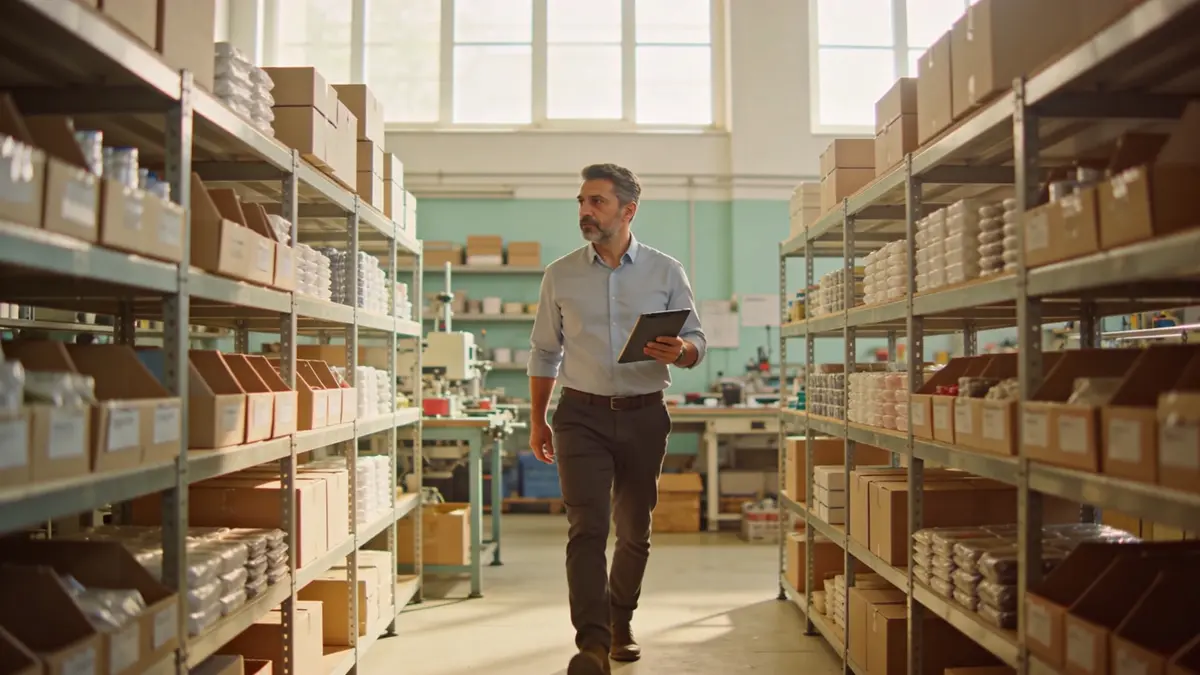
ERP is resource planning software that keeps a company's purchasing, stock, sales, accounting, and staff records in one database. The name stands for Enterprise Resource Planning.
01.What does ERP mean, and what does it bring together?
ERP keeps every record that touches money, goods, and people in the same database; what one department enters is already on the next department's screen.
| Area | Records kept |
|---|---|
| Finance and accounting | Invoices, customer accounts, payment and collection plans |
| Purchasing | Requests, approvals, supplier orders |
| Stock and warehouse | Receipts, issues, counts, transfers between sites |
| Sales and orders | Shipments, returns, order status |
| Human resources | Attendance, leave, and the data that feeds payroll |
| Projects and production | Work orders, material use, cost |
Example scenario: Picture a firm in İzmit selling machine parts. An order arrives, the warehouse reserves the goods, purchasing asks a supplier for the missing part, accounting issues the invoice. Without ERP, every step lives in a separate file and the same order is retyped in every department. In an ERP the order is entered once. The warehouse, purchasing, and accounting each look at a different face of the same record. ERP does not create new work; it makes the record of existing work single.
02.What does ERP do for a small business?
In a small business the real job of ERP is to end the second entry of the same information and the manual merge at month end.
A large company buys ERP to coordinate departments. In a small company people already share a room; the value shows at month end. Accounting stops merging files by hand, and the manager reads what was sold and who still owes what from the same screen.
Take an air-conditioning installer in Ankara. The crew picks materials from the warehouse, and in the ERP that issue is tied to a work order. When the job is done, the invoice is raised from the same work order. The manager says which job made money by reading the record, not by guessing.
The second contribution of ERP is permission. Who can issue an invoice, who approves a purchase, who sees salaries: on paper these are habits, in an ERP they are rules. In a small company the rule usually lives in the owner's head, and work stops when the owner is away. Once the rule is in the software, who approves is clear and work does not sit waiting on one desk.
In Türkiye an ERP is also asked how it works with Revenue Administration systems such as e-Invoice and e-Archive. It is one of the first questions in any selection meeting and has to be checked separately for each product.
03.What does ERP not do?
ERP does not fix a process by itself, does not manage the customer relationship, and does not decide who follows up on what.
ERP speeds up a broken process; it does not repair it. A purchase made without approval on paper stays unapproved in the ERP, only faster. The rule is written first, then entered into the software. ERP does not hold the customer conversation. What happens before the quote, the price question on WhatsApp, the missed call, and the contract up for renewal are not ERP territory; they belong to CRM. We covered where the two part and where they meet in the difference between CRM and ERP.
- Defining the process: who approves, and when.
- Cleaning the data: two cards for the same customer stay two cards after migration.
- Reminding: an overdue invoice shows on a list but calls nobody.
- Tracking pre-sales: opportunities, quotes, and call notes.
04.Why are ERP and CRM treated as separate?
ERP was written for the back office and CRM for the front office; bought from two vendors, they need a transfer bridge between them and the customer is typed twice.
Sales works in one program, accounting in another. A contract is signed and accounting hears about it days later. The customer's name is abbreviated in one place and spelled out in the other, and the manager cannot tell which to trust.
The bridge between them is usually a transfer script or a sync that runs at night. A change made during the day reaches the other side the next morning. A customer changes their address in the morning and the invoice goes to the old address in the afternoon. Nobody made a mistake; the two systems simply did not see the same moment.
Corex360 removes the split at the core. The customer card holds the Quotes, Contracts, Projects, and Finance tabs side by side; the Accounting module's integration list shows DIA, e-Invoice/e-Archive (GİB, the portal of Turkey's Revenue Administration), Logo, Mikro, Netsis and Paraşüt. Where a separate stock program breaks away from this record is covered in inventory software versus ERP.
05.Which questions come before moving to ERP?
Before choosing, look not at the software but at which information is written in more than one place today and who holds approval.
- Which information is written in more than one place: customer name, order, invoice?
- Who approves: purchases, leave, discounts?
- Where will the data live: in the provider's cloud or on your own server?
- Will sales sit on the same record, or talk to a separate CRM?
- How will e-Invoice and e-Archive work?
- Can the team approve from a phone?
A textile workshop in Bursa looks for an ERP because its stock counts never match. The count itself is right; the waste from the cutting room was simply never recorded. ERP sees the gap only if someone enters the waste. Asking the right question comes before choosing the right software.
One more question: who will use the ERP? Accounting opens it every day, but if the field crew, salespeople, and warehouse staff cannot use it, the record still starts on paper and reaches the computer in the evening. However broad the software, if the record is not entered where the work happens, ERP becomes a delayed archive.
Most of these questions are about habit before software. We covered why digitalisation stalls and where small businesses should start digitalising in a separate article.
06.How does Corex360 look at ERP?
Corex360 builds ERP and CRM not as separate products but as arms of the same core; the intelligence layer runs on that single record.
Sales, field, project, accounting, and HR are modules of the same core. The attendance device connects to the core and clock-ins land on the staff card; leave and advance requests run through an approval flow. The signed contract sits on the customer card and the document is tied to the record in Corex Drive; the invoice is issued in the Accounting module of the same core.
The screen the manager sees in the morning comes from the same record. Which supplier invoice is waiting for approval, which contract is nearing its end, which supplier payment falls due this week, whose leave is waiting for approval: these are not gathered from separate reports; they are today's state of the same record.
X AI reads these records and ranks pending approvals and risks by rules the manager writes. The decision stays with the user. Data lives on Corex360 Cloud or on your own server.
07.What does the demo cover?
The demo uses your own records to show how the quote, contract, and finance tabs sit on the same customer card.
On the Corex360 customer card the Quotes, Contracts, Projects, and Finance tabs sit side by side; the invoice is issued in the Accounting module on the same core, and the signed contract is tied to the record in Corex Drive. That is why a piece of information is entered once: sales sees the quote on the card, accounting looks at the Finance tab of the same card, and the manager reads pending approvals in the list X AI orders by the rules.
Sources
- Eurostat, E-business integration (definitions of ERP and CRM software) Last checked
- Revenue Administration, about e-Invoice Last checked
- Revenue Administration, about e-Archive Invoice Last checked
How was this page prepared?
- Written by: Şevket Erer, Co-founder, AI Specialist
- Sources: official body, standard, and vendor information is taken from the primary sources in the Sources list on this page; each source shows the date it was last checked.
- Product information: sentences about Corex360 rest on the company's product fact records; unconfirmed features are not written.
- Use of AI: the Corex360 team writes the text; AI tools are used for drafting and translation. Publishing principles
- Dates: first published , last updated . Corrections policy
Frequently asked
01What does ERP mean?
ERP stands for Enterprise Resource Planning. It names the type of software that keeps a company's purchasing, stock, sales, accounting, and staff records in one database.
02Does a small company need ERP?
Yes, if the same information is retyped in more than one program and records are merged by hand at month end. For simple trading run by one person, an accounting program and inventory software are often enough.
03How much effort does an ERP setup take?
Most of the effort is not in the software but in cleaning the data and writing down the processes. With clean customer and product cards and clear approval rules, setup is shorter.
04Cloud ERP or ERP on your own server?
Cloud leaves setup and maintenance to the provider; your own server keeps data in-house but gives you the maintenance duty. Corex360 works both ways: Corex360 Cloud or your own server.
05Is ERP the same as accounting software?
No. Accounting software keeps the books, invoices, and customer accounts. ERP adds purchasing, stock, orders, staff, and project records and keeps them all in the same database.
06Is Corex360 an ERP?
Corex360 is a business platform with an intelligence core that brings CRM and ERP functions onto one core. Customer, contract, invoice, staff, and files are created on the same record, and X AI reads them and ranks them by the manager's rules.
The accounting module issues sales and purchase invoices on the same core as the customer card; let us trace one of your own jobs from quote to invoice together.
Related articles
Keep reading.

Inventory software tracks what comes in, goes out, and remains; ERP ties each movement to orders, invoices, and cost. A few signs show which one you need.
DateRead the article01ERPWhat is ecommerce ERP integration: how an order comes off stock
Ecommerce ERP integration carries orders into the ERP and stock and prices to the store. Without it, an overnight order does not come off stock on time.
DateRead the article02ERPWhat drives ERP cost: the items behind the quote
ERP cost comes from the licence model, user and module scope, hosting, data migration, integration, training, and maintenance. Compare quotes item by item.
DateRead the article03ERPHow to choose ERP software: scope, data, and deployment
Choosing ERP software starts with the data you type twice today. Module scope, cloud or own server, accounting set-up, data migration, and the demo.
DateRead the article04AccountingWhat is bookkeeping, and where does it part ways with ERP?
Bookkeeping records daily trade, from invoices to the till, before it reaches the official accounts. It differs from formal accounting and from ERP.
DateRead the article05AccountingCollections tracking: how an overdue receivable becomes visible
Collections tracking follows due dates and open balances by customer. If an overdue receivable never reaches the sales screen, nobody makes the call.
DateRead the article06AccountingHow to choose bookkeeping software: invoices, accounts, and the link to sales
When choosing bookkeeping software, weigh e-invoicing, customer accounts, cash and bank, data sharing with your accountant, and the link to sales.
DateRead the article07CRMWhat is CRM? What an SME sales team expects from it
CRM is software that keeps the customer relationship on one record. In an SME sales day, the customer card, opportunities, quotes, and follow-up work together.
DateRead the article08